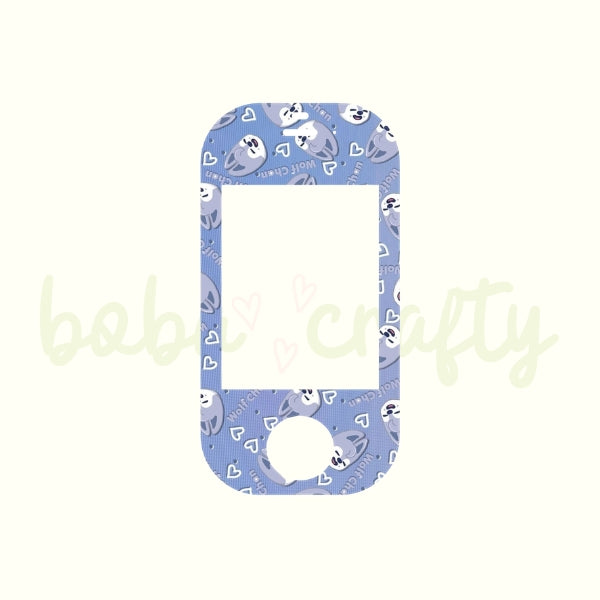
STAY SKZOO Vocera V5000 Badge Skins | Hospital Badge Decals
STAY SKZOO Vocera V5000 Badge Skins | Hospital Badge Decals
Couldn't load pickup availability
Bring some STAY energy to your next shift with these adorable SKZOO-inspired Vocera badge skins! Whether you are checking patients in, charting, or navigating a busy medical center, these decals add a much-needed pop of K-pop personality to your everyday communication device.
Choose from nine unique, pastel patterns featuring your favorite characters, or grab the group pattern so you don't have to choose! Each skin is meticulously designed and precision-cut on high-quality vinyl to fit standard Vocera B3000 badges, ensuring your screen, microphone, and call buttons remain fully accessible and functional.
Please Note:
-
Device Not Included: This listing is for the vinyl skin decal only. The communication device pictured (Make: Vocera Communications | Model: V5000) is for display purposes only and is not included with your purchase.
-
Fan-Made Merchandise: These designs are original fan art created by Boba Crafty and are not official merchandise of BTS, Stray Kids, HYBE, or JYP Entertainment.
-
Not Affiliated: Boba Crafty is an independent creator and is not affiliated with, endorsed by, or sponsored by Vocera Communications or Stryker.
-
Color Variations: Due to differences in monitor displays and lighting, the colors of the physical vinyl decal may vary slightly from what you see on your screen.
-
Workplace Policies: Please check your medical center or employer’s uniform and equipment guidelines before applying decorative decals to company-owned devices.
Application Instructions:
-
Prep the Surface: Wipe away any dirt or debris and clean the area with water or rubbing alcohol only. Do not use common cleaning products, as they can leave behind an oily or waxy residue that prevents the vinyl from sticking properly.
-
Let it Dry: Ensure the surface of your Vocera badge is completely dry before moving to the next step.
-
Peel the Backing: Carefully peel the white backing paper away from the vinyl decal.
-
Align the Decal: Hold the decal lightly over the badge, taking care to perfectly align the rectangular screen cutout and the circular button cutouts first.
-
Smooth it Out: Once properly positioned, lightly press the material in place. Start from the middle of the graphic and smooth toward the outside edges to push all air bubbles out.
Share